
Watch TikTok Without the App
Open any TikTok link in your browser. No app, no account, no pop-ups.

How to watch TikTok without the app
Three steps, and none of them is an install.
Copy the TikTok link
It can be the link a friend sent you, a link from a search result, or one you copied from a Share menu. Full links and short links such as vm.tiktok.com both work.
Paste it into the box
Paste the link into the box at the top of this page and press Open. If you only know the creator's username, type that instead.
Watch in your browser
The video plays right on the page with sound, a progress bar and full screen. Nothing sends you to an app store and nothing asks you to sign up.
That is all it takes to watch TikTok without the app. TikExporter is a web page, so it behaves the same on an iPhone, an Android phone, a tablet and a computer.
What you get when a TikTok link opens in TikExporter
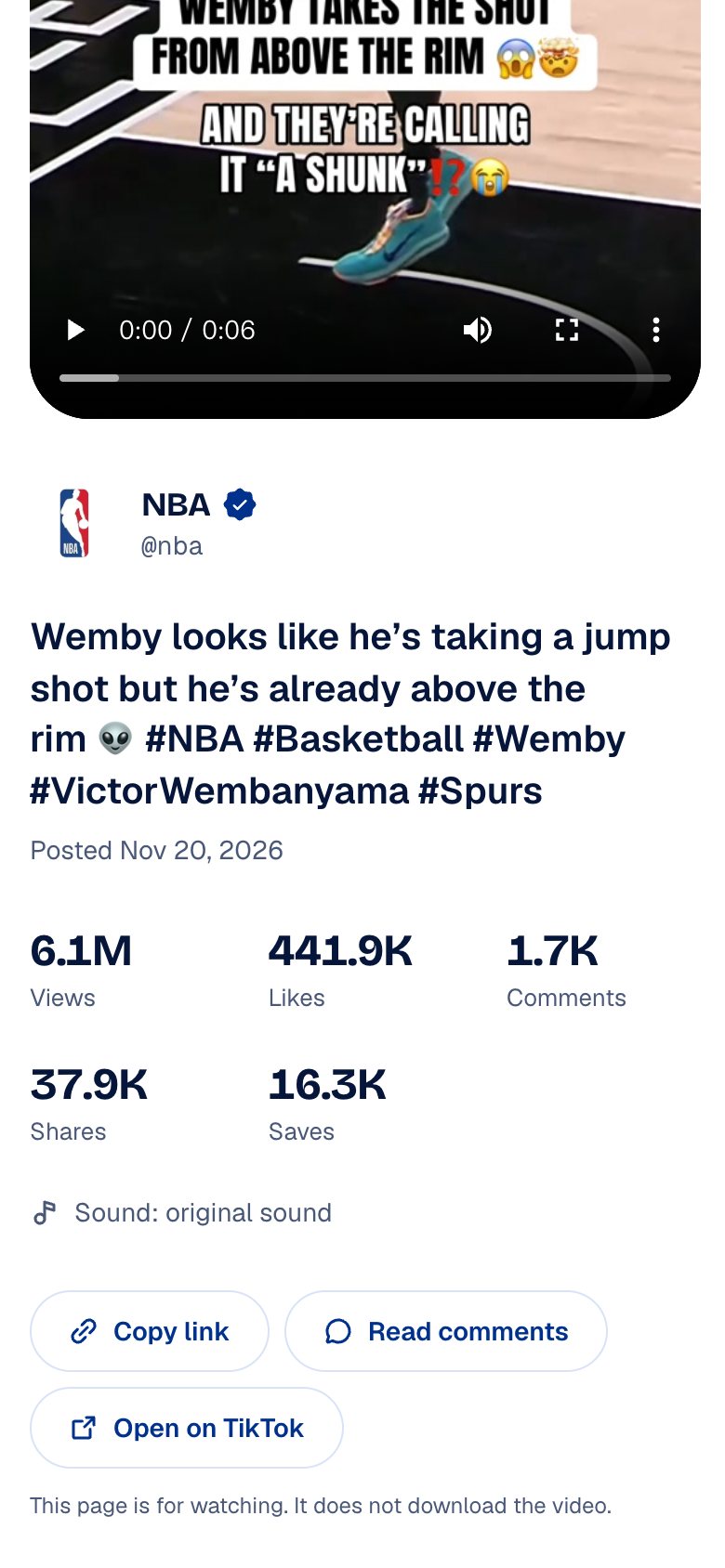
When you watch TikTok without the app through TikExporter, every public video gets a clean page of its own. The player comes first, the numbers sit next to it, and nothing covers the video.

- The video, right away
- It is on the page you land on. There is no splash screen, no countdown and no banner over the player.
- The real numbers
- Views, likes, comments, shares and saves as TikTok reports them, plus the date the video was posted.
- Caption and sound
- The full caption with its hashtags, and the name of the sound the video uses.
- A link to the original
- Open on TikTok takes you to the same public video on TikTok, where you can use the app's own options.
- The creator's profile
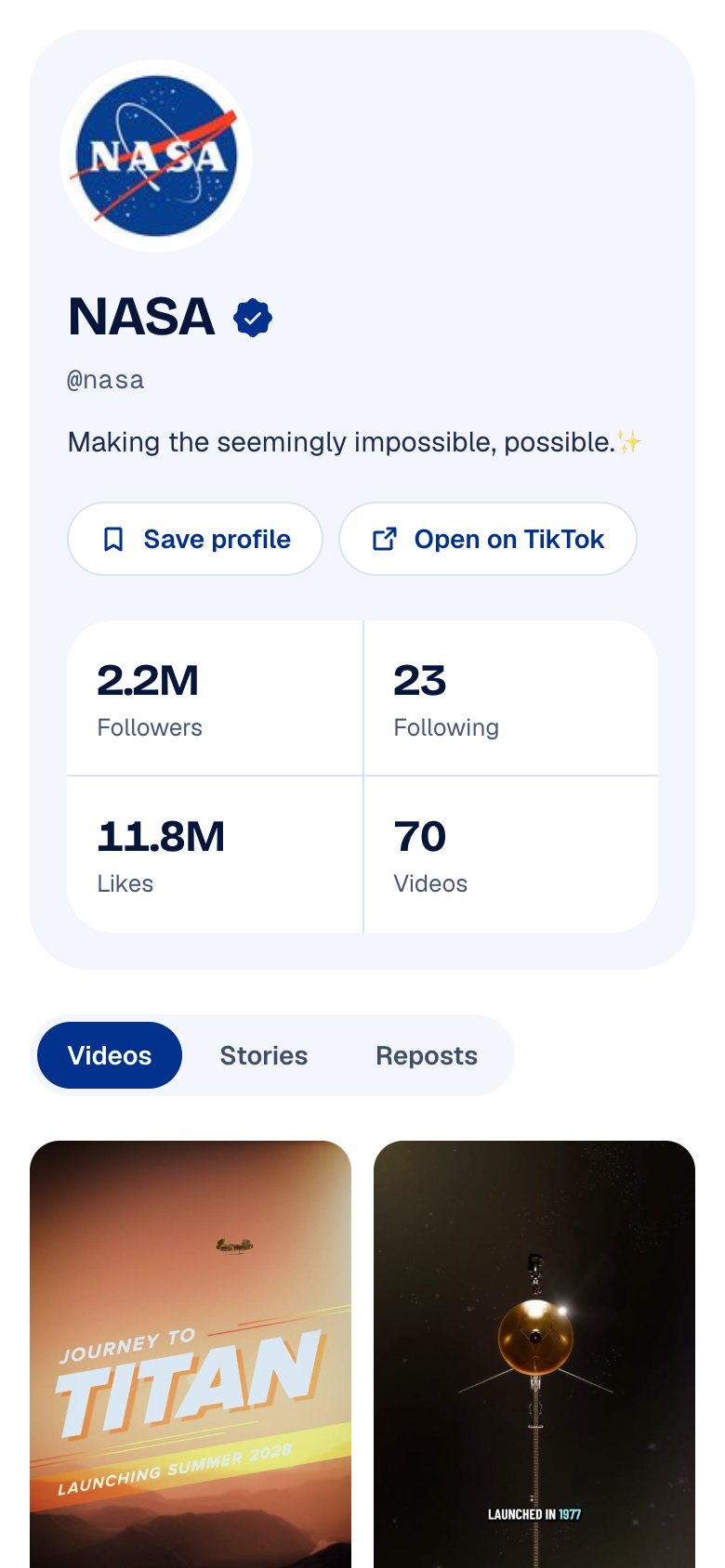
- One tap takes you to the account that posted the video, with its bio, its counts and the rest of its videos.
- Photo posts too
- When the link leads to a photo post, the pictures open on the page, and each one opens in full size.
Why TikTok keeps asking you to log in or get the app
Open a TikTok link on a phone and one of three things tends to happen: the link jumps to the app store, a banner asks you to open the app, or a login window slides over the video after a few seconds. On a computer the video usually plays, and the login window comes a little later, often once you scroll or click through to a profile.
None of this is a fault on your side. TikTok is built around its app, where it can personalize the feed and keep you watching, so the website steers visitors toward installing it and signing in. The prompts are a product decision, not a technical requirement. The videos are public, and a public video can be delivered to a browser without an account.
That is the part TikExporter does, and it is the reason people look for a way to watch TikTok without the app in the first place. TikExporter requests the same public video without logging in and plays it on a plain page. There is no feed built to keep you scrolling, and no window between you and the video you came for.
Watch TikTok without an account: what stays private
Without an account there is no watch history, no For You feed learning your taste, and nothing that ties what you watched to your name. Plenty of people watch TikTok without an account for exactly that reason.
When a link opens in TikExporter, your browser asks our server for the video. Our server requests the public video from TikTok without being signed in. The newest videos then load from TikTok's content servers straight into your browser, and older ones pass through our relay.
| Who | What they see |
|---|---|
| The creator | Nothing with your name on it. TikTok can show creators which accounts viewed a post only when the viewer is logged in, and you are not. |
| Your own TikTok account | Nothing. If you have one, it is not signed in here, so its history and recommendations stay as they were. |
| TikTok's servers | A request for a public video from our server, and in some cases an ordinary request for the video file from your browser. They see an IP address, with no account attached. |
| TikExporter | The link or username you entered, in short-lived server logs. Watching needs no name, email or account. |
| People who share your device | Recent and saved profiles are kept in this browser. Clear the site data and they are gone. |
A note on view counts: a count is a number without names. Whether TikTok counts a play from a visitor who is not logged in is TikTok's decision.
Keep watching: more from the same account
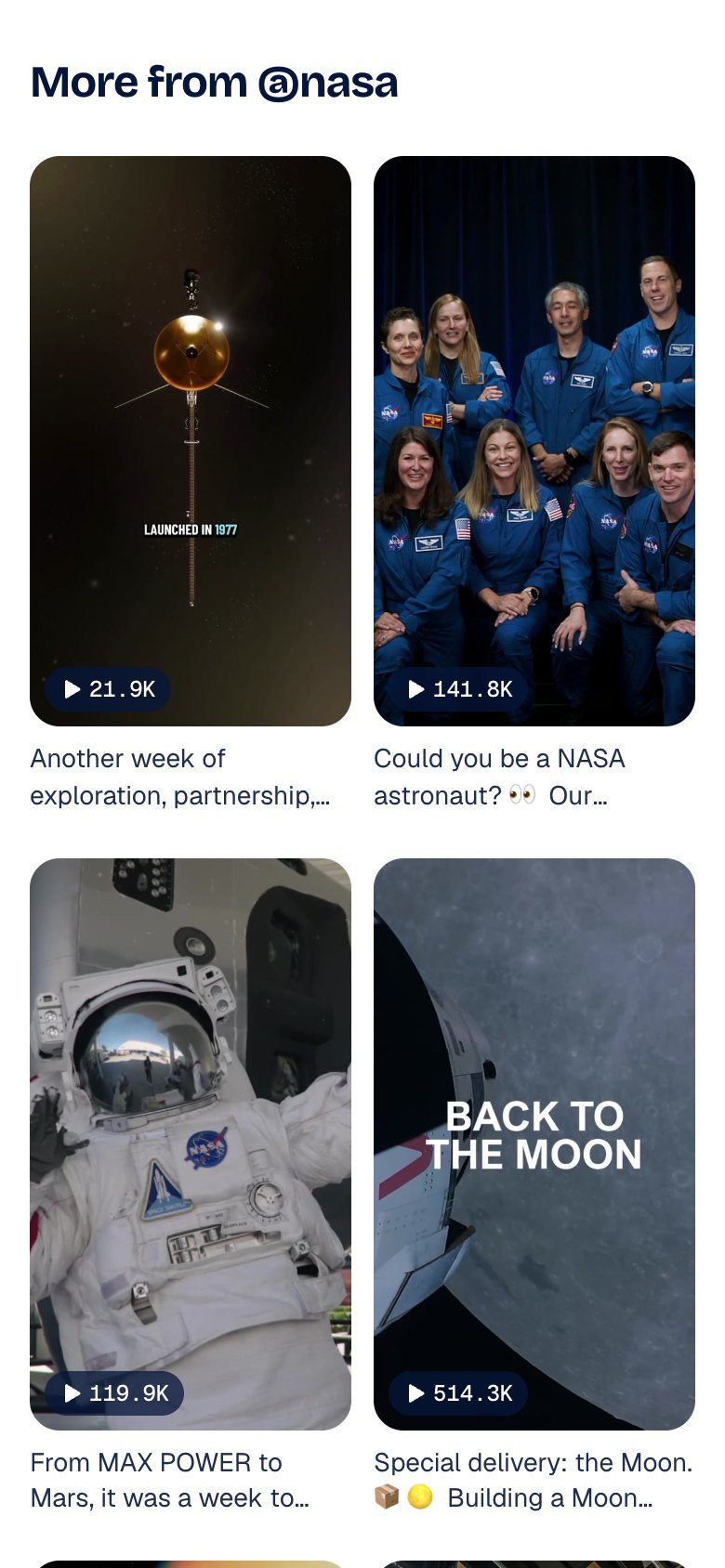
A single link is usually just the start. Under every video, TikExporter lists more from the same creator, and one tap opens the full profile with its public videos in a grid.
From there you can go on without ever opening the app:
- Load older videos page by page
- Check the account's current Stories
- See what the account has reposted
- Save the profile in your browser for next time
TikExporter vs. tiktok.com in a browser
You can also watch TikTok without the app on tiktok.com itself. For a single video that is often enough. The differences show up as soon as you want a second one.
| Question | TikExporter | tiktok.com, not logged in |
|---|---|---|
| Needs the app | No | No, but it keeps suggesting it |
| Needs an account | No | No, until a login window appears |
| Login and app prompts | None | Frequent, especially on phones |
| Starts from a link or a username | Yes, the box is the first thing on the page | Opens on the For You feed unless you have a direct link |
| Autoplaying feed | No, you choose each video | Yes |
| Likes, comments and follows | Not available, by design | Need a login |
If you plan to comment or follow, you will need an account anyway, and the app is the right tool. If you only want to watch what someone sent you, a page that plays the video is enough.
What you can't do when you watch TikTok without the app
Watching is the part that works without an account. These things do not.
The For You feed
TikExporter has no feed and no recommendations. You open a link or a username, and you choose what to watch next.
Searching by topic
You need a link or an exact username. There is no keyword or hashtag search.
Comments
Comments and replies open under the video, and you can export the thread as a CSV. Posting, liking or replying needs the TikTok app.
Private videos
A video from a private account, or one limited to friends, does not open. Only public videos do.
LIVE streams
Live broadcasts are not supported. TikExporter plays posted videos, photo posts and Stories.
Liking, following, messaging
TikExporter is read-only. To interact with a creator you need the TikTok app and your own account.
Watch TikTok without the app: common questions
Can you watch TikTok without the app?
Yes. Paste a TikTok link into TikExporter and the video plays in your browser. It works in Safari, Chrome and other modern browsers, on phones, tablets and computers, and nothing needs to be installed.
Can you watch TikTok without an account?
Yes. Public videos do not require an account. TikExporter never asks you to sign up or log in, and it does not use a TikTok account behind the scenes either.
Why does TikTok ask me to log in?
TikTok is built around its app and a signed-in feed, so its website regularly prompts visitors to log in or install the app. The videos themselves are public. The prompt is a nudge, not a requirement for watching.
Does the creator see that I watched?
No. TikTok can show a creator which accounts viewed a post only when the viewer is logged in and has that feature turned on. Through TikExporter you are not logged in, so there is no name to show.
Do short links like vm.tiktok.com work?
Yes. Paste the short link as it is. TikExporter follows it to the real video and opens that.
Can I watch TikTok on a computer without downloading anything?
Yes. Open TikExporter in any browser on Windows, Mac or a Chromebook, paste a link or type a username, and watch. There is no desktop program and no extension.
Why does a TikTok link open the app store on my phone?
Links from TikTok are set up to open the app, and when the app is missing they can send you to its store page. Copy the link and paste it into TikExporter instead, and it opens as a web page.
Can I save a video without the app?
No. TikExporter is for watching public videos in the browser and does not offer a video download. If the creator allows saving, use TikTok's own app.
Is it free?
Yes. Watching is free, with no sign-up and no card. Comment CSV export is free for 50 comments per video and 200 rows a month; longer threads need a paid pack.
Why won't a video open?
The video was deleted, the account is private, the video is limited to friends, or the link is incomplete. If the page says TikTok didn't answer, wait a minute and try again.
Is TikExporter affiliated with TikTok?
No. TikExporter is an independent service. It is not affiliated with, endorsed by or sponsored by TikTok or ByteDance.
Watch TikTok without the app
Paste a link. Press Open. That is all.
More ways to look
- TikTok viewerOpen any public profile: videos, counts and bio on one page.
- TikTok Story viewerWatch an account's current Stories without showing up in the viewer list.
- TikTok repost viewerSee the videos an account has reposted from other creators.
- TikTok profile picture downloaderOpen any profile picture in full size and save it.
Last updated