
TikTok Repost Viewer
See the videos any TikTok account has reposted. No login, and they won't know you looked.
What the TikExporter TikTok repost viewer shows
A repost is a video from another creator that an account chose to pass on to its own followers. TikExporter is a TikTok repost viewer: it puts the public reposts of an account on one tab, so you can see what a person or a brand finds worth sharing.

- The repost list
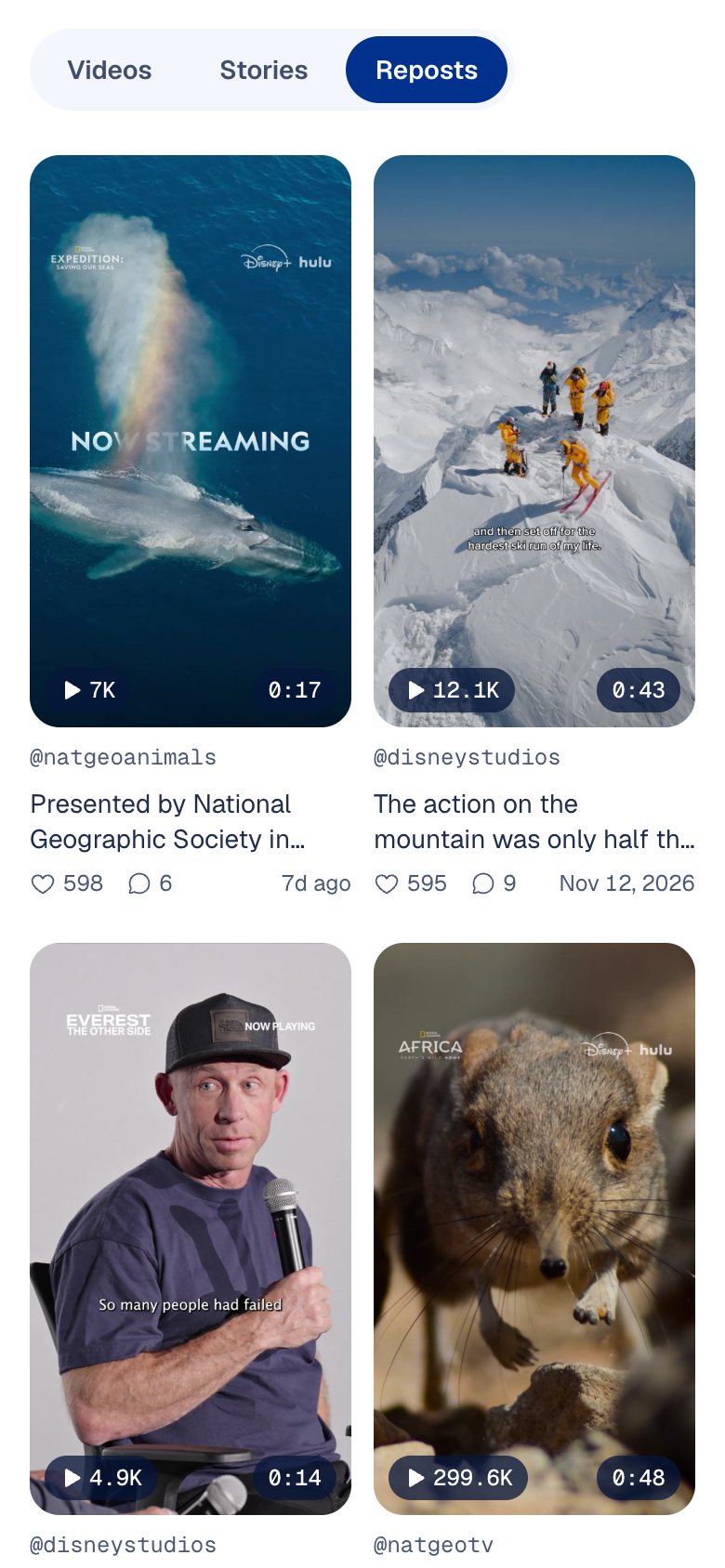
- The videos the account has reposted, in the order TikTok lists them. Load more keeps going back through older reposts.
- The original creator
- Under every tile you see whose video it is. One look tells you which creators an account keeps sharing.
- Numbers on each video
- Views and length on the cover, likes and comments underneath, and the date the video was first posted.
- Playback without the app
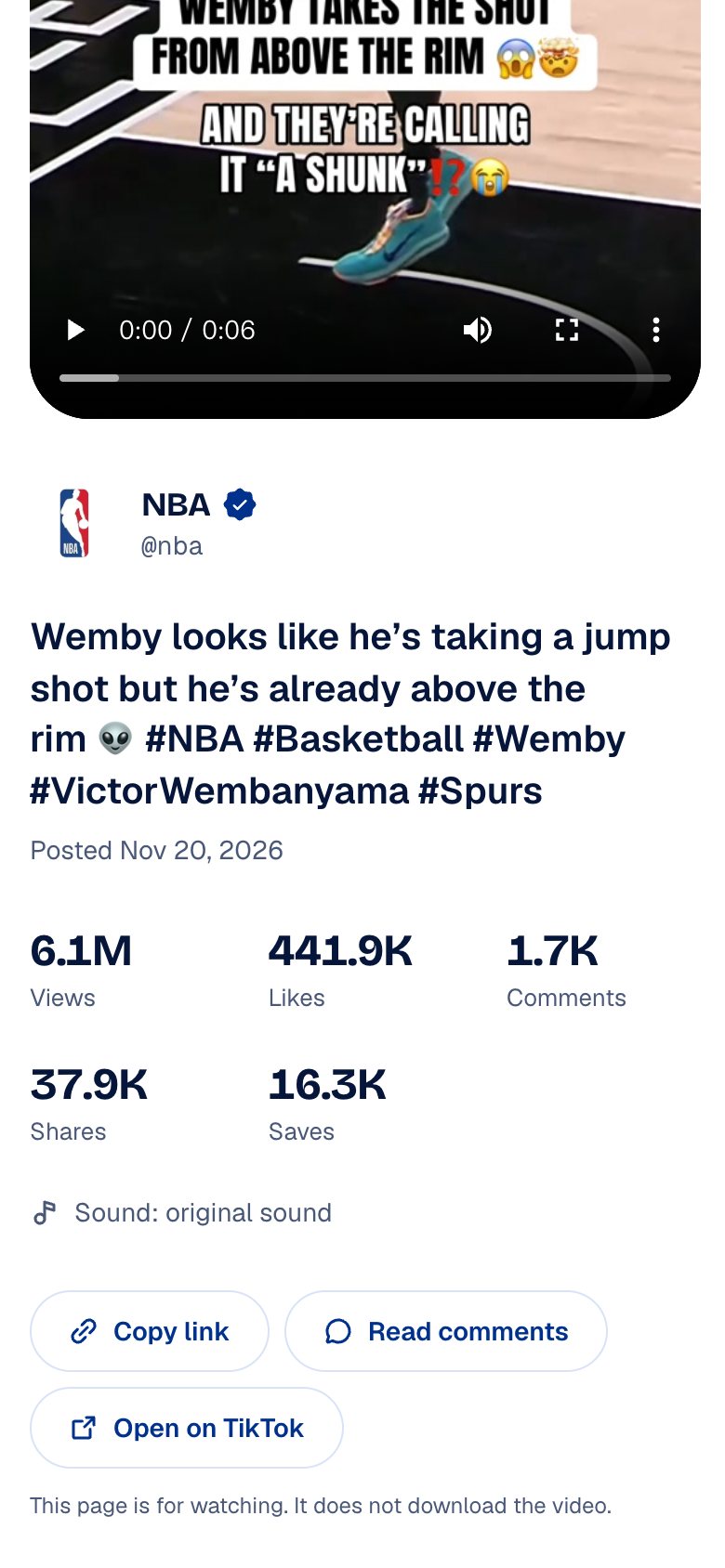
- Open any repost and it plays on its own page, with its shares, its saves and the sound it uses.
- A link to the original
- Every repost opens the same public video on TikTok, where you can use the app's own options.
- Nothing to tap by mistake
- The page is read-only. There is no like, follow or repost button anywhere on it.
How to see someone's reposts on TikTok
It takes a username and one press.
Enter the username
Type the handle of the account, with or without the @ sign, or paste a link to the profile.
Open the Reposts tab
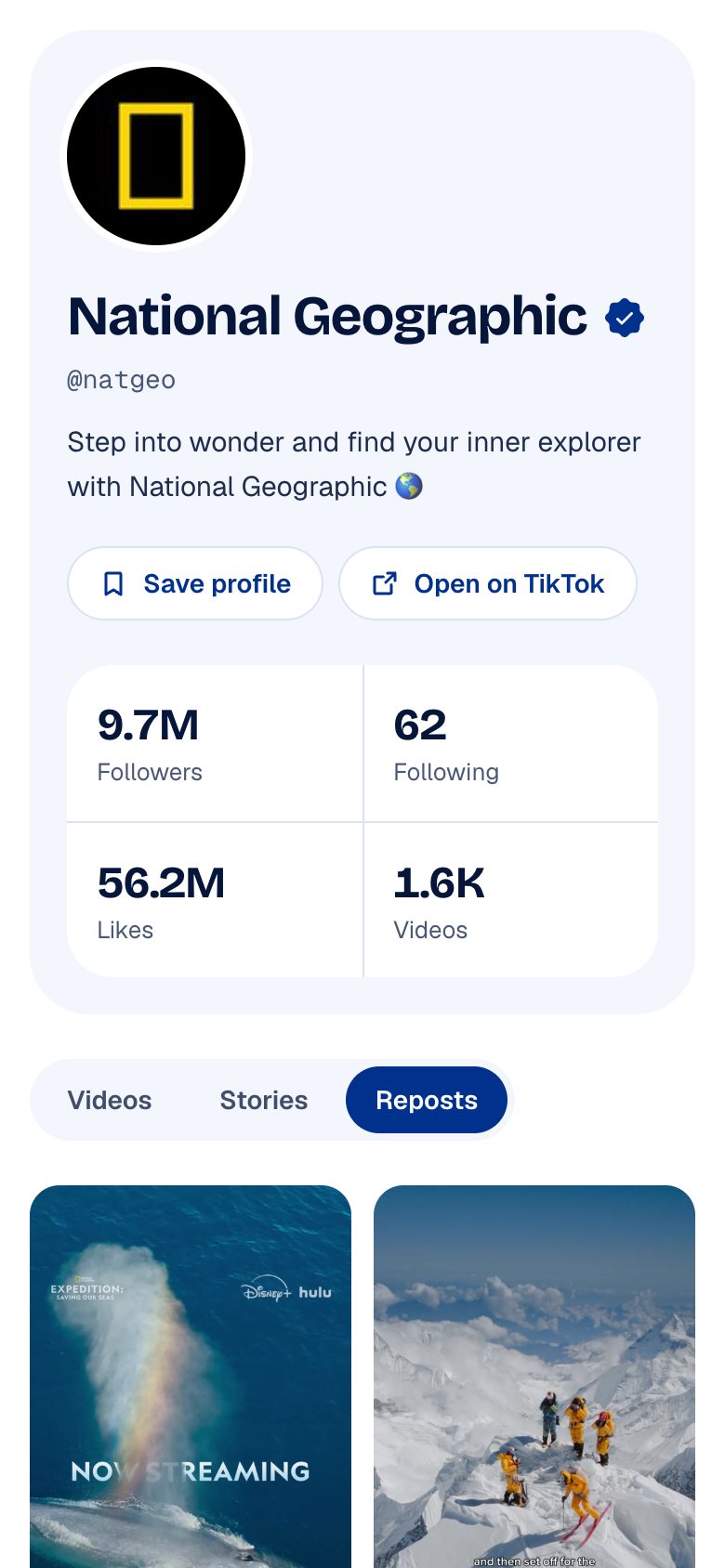
Press View reposts. The profile opens straight on its Reposts tab, with the first page of reposted videos.
Browse and open
Scroll the grid, press Load more for older reposts, and open any video to play it. The Videos and Stories of the same account sit on the tabs next to it.
You need neither the TikTok app nor an account for any of this. That is also why it is discreet: a TikTok repost viewer that never logs in has no name to leave behind.
Do they know you looked at their reposts?
No. TikTok can tell an owner who visited their profile only when the visitor is logged in and both sides have profile view history switched on. A repost list has no viewer list of its own at all.
TikExporter asks TikTok for the public repost list of an account without being signed in. The answer comes back to our server and we show it to you. No account is involved at any point, so there is nothing that could appear in the owner's profile views.
| Who | What they see |
|---|---|
| The account owner | Nothing. No profile view and no notification. |
| The creators of the reposted videos | Nothing. Opening their video here adds no like, comment or follow. |
| Your own TikTok account | Nothing. You are not signed in, so your history and your For You feed do not change. |
| TikTok's servers | A request for a public list from our server, plus ordinary requests for cover pictures and video files, with no TikTok account attached. |
| TikExporter | The username you entered, in short-lived server logs. |
TikExporter only shows reposts the owner has left public. It is a way to view TikTok reposts anonymously, not a way around someone's privacy settings.
No like button, no accidental likes
Anyone who has scrolled far back through another person's profile in the app knows the fear: one stray double tap and you have liked a video from months ago. A like is not private. The creator is notified, and it can land in front of exactly the person you were trying not to alert.
Reposts make this worse, because the videos belong to third parties. Tap wrong while you look through someone's reposts and you have liked a stranger's video, or reposted it to your own followers with the button that sits right next to it.
That is the practical difference between the app and a TikTok repost viewer. TikExporter has no like button, no follow button and no repost button, and it is not connected to any TikTok account that could carry such an action. You can scroll, open, pause and go back as carelessly as you like.
Check your own reposts
Reposting takes one tap in the app, and it is easy to forget what you have shared over the years. Your Reposts tab is part of your public profile, and other people do look at it.
Used on yourself, the TikTok repost viewer is a privacy check. Enter your own username and you see your reposts the way a stranger sees them, without logging in. To take a video off the list, open it in the TikTok app, tap Share and choose Remove repost. TikExporter is read-only and changes nothing on your account.
It is the quickest way to find out:
- Whether your reposts are visible to the public at all
- Which old reposts are still on the list
- Whether a video you reposted by accident is showing
- What a new follower, a client or an employer would see
Why some reposts don't show
An empty Reposts tab, or a list shorter than you expected, usually has one of these causes:
- The account never reposted anything. Many accounts only post their own videos.
- The owner limited who can see their reposts. TikTok has a privacy setting for that, and a hidden list is hidden from us too.
- The account is private. Nothing from a private account is shown, reposts included.
- The original video is gone. When a creator deletes a video or makes it private, it drops out of every repost list.
- The repost was removed. Undoing a repost takes it off the list right away.
If the tab says TikTok didn't answer just now, the request failed on the way. Wait a minute and press Try again.
One more thing to know about dates: the date on a tile is the day the original video was posted. TikTok does not tell us the moment someone reposted it, so we do not show one.
TikExporter vs. the Reposts tab in the TikTok app
Inside the app, the Reposts tab sits on a profile next to the videos. It works well when you are logged in and do not mind being seen. Outside the app, or when you would rather stay unnoticed, a TikTok repost viewer is the easier way.
| Question | TikExporter | TikTok app, logged in |
|---|---|---|
| Needs a TikTok account | No | Yes |
| Can show up in profile views | No | Yes, when profile view history is on |
| Risk of an accidental like or repost | None, there are no such buttons | One wrong tap |
| Works without installing anything | Yes, in any browser | Needs the app |
| Names the creator of each video | Yes, under every tile | Yes |
| Like, comment or share | Not available, by design | Yes |
If you want to react to what someone reposted, use the app. If you only want to look, the viewer does it without leaving a mark.
What this TikTok repost viewer can't do
Stated plainly, so you know before you search.
Hidden repost lists
When the owner limits who can see their reposts, the tab stays empty. TikExporter shows public content only.
Private accounts
A private account shows its name, picture and counts, and nothing else.
The moment of the repost
You see when each video was first posted, not when the account reposted it. TikTok does not provide that.
Who else reposted a video
A video page shows its numbers. It does not list the accounts that reposted it.
Removing a repost for you
TikExporter is read-only. Undo a repost in the TikTok app, signed in to your own account.
Liked and favorite videos
What other people liked or added to favorites is private on TikTok by default, and TikExporter does not show it.
TikTok repost viewer questions, answered
Are TikTok reposts public?
For a public account, usually yes. Reposts appear on a tab of the profile that visitors can open. The owner can limit who sees that tab in the privacy settings, and the reposts of a private account are visible to approved followers only.
Can I see someone's reposts without an account?
Yes. Enter the username in the TikExporter TikTok repost viewer and press View reposts. You need neither a TikTok account nor the app, and nothing is recorded on the owner's side.
How many reposts can I see?
The list opens with its first page, and Load more brings older reposts for as long as TikTok provides them. An account with years of reposts can take many pages.
Can I like a video by accident here?
No. TikExporter has no like, follow, comment or repost button, and it is not connected to any TikTok account. There is nothing an accidental tap could trigger.
Will they know I looked at their reposts?
No. TikTok shows profile visits only between logged-in accounts with profile view history turned on. TikExporter is not logged in, so no visit is recorded.
Why is the Reposts tab empty?
Either the account has not reposted anything, the owner limited who can see reposts, the account is private, or the reposted videos were deleted. If you see a message that TikTok didn't answer, try again in a minute.
Can I see when a video was reposted?
No. The date shown is the day the original video was posted. TikTok does not provide the time of the repost.
How do I check my own reposts?
Enter your own username. You see your Reposts tab as a logged-out visitor sees it, which is the quickest way to check what is public. To remove one, open the video in the TikTok app, tap Share and choose Remove repost.
Does the TikTok repost viewer work on a PC?
Yes. It is a web page, so it runs in any modern browser on Windows, Mac, Chromebook, iPhone and Android. Nothing needs to be installed.
Is it free?
Yes. Viewing reposts and playing the videos is free, with no sign-up. Comment CSV export is free for 50 comments per video and 200 rows a month; longer threads need a paid pack.
Is TikExporter affiliated with TikTok?
No. TikExporter is an independent service. It is not affiliated with, endorsed by or sponsored by TikTok or ByteDance.
Open the TikTok repost viewer
See what they share. Leave nothing behind.
More ways to look
- TikTok viewerOpen any public profile: videos, counts and bio on one page.
- TikTok Story viewerWatch an account's current Stories without showing up in the viewer list.
- TikTok profile picture downloaderOpen any profile picture in full size and save it.
- Watch TikTok without the appOpen any TikTok link in the browser, with no app and no account.
- TikTok repost removerUndo a repost in the app, and see what removing it does not delete.
Last updated