
TikTok Comment Exporter
Turn a public TikTok comment thread into a spreadsheet. No login, no extension, no copy and paste.
What this TikTok comment exporter does
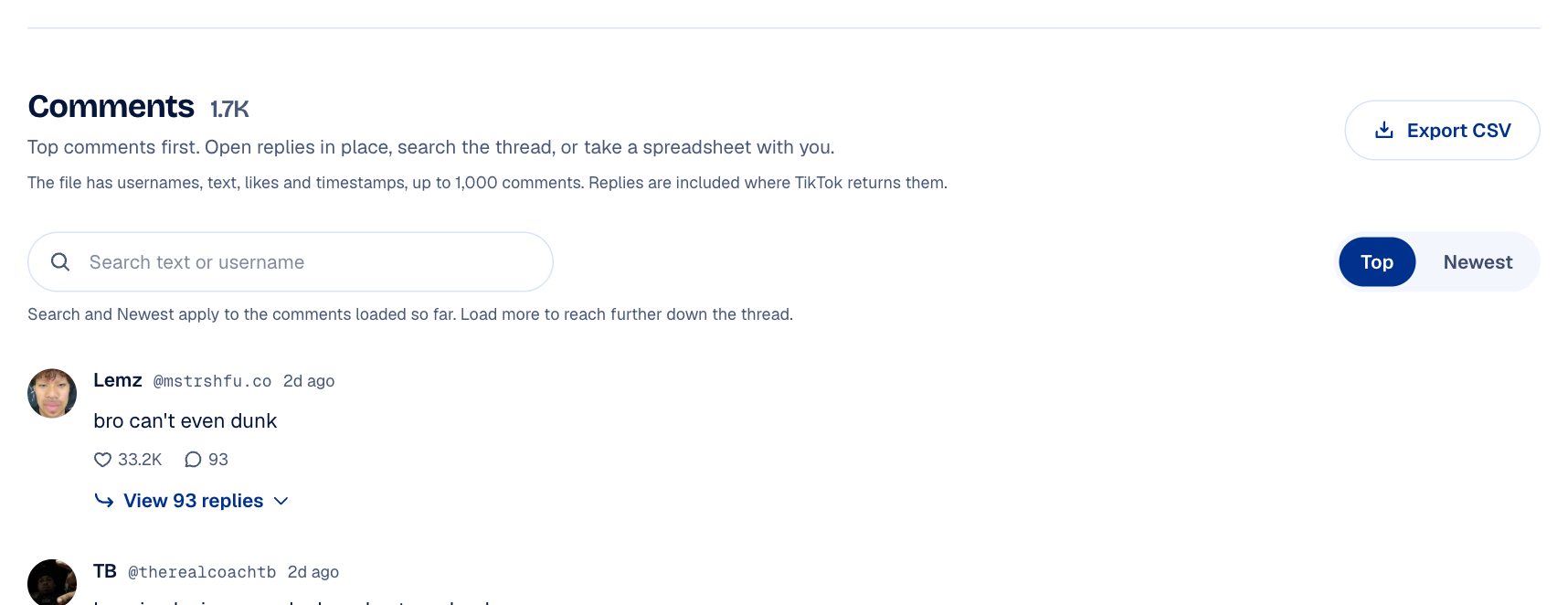
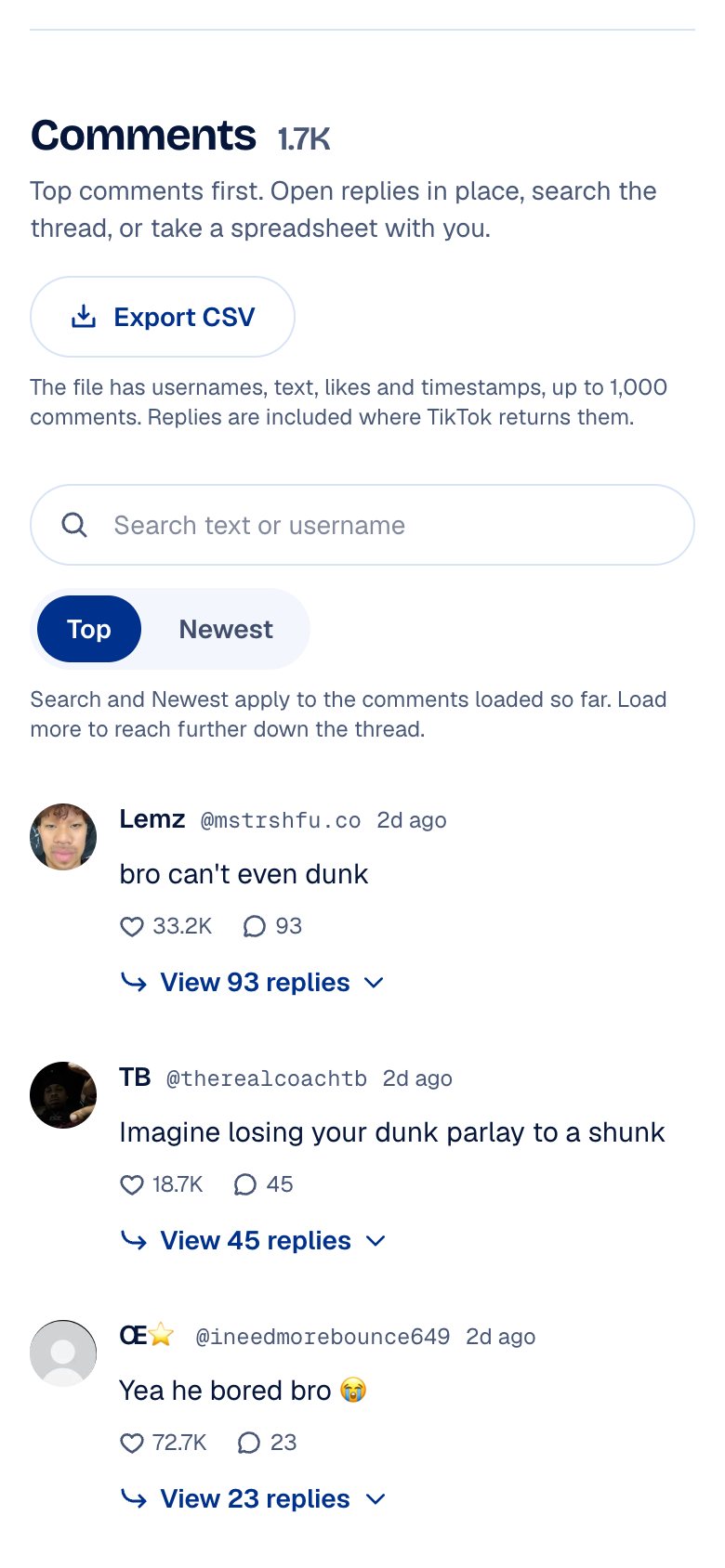
TikExporter is a TikTok comment exporter for public videos with a free sample. It reads the comments and replies on one TikTok video and writes them to a CSV with the username, display name, text, likes and timestamp. There is no TikTok login, no browser extension and no setup. Paste a link, press Export CSV, and open the file in a spreadsheet.
How to export TikTok comments to CSV
Three steps, one file, no account.
Paste the video link
Copy the link of a public TikTok video and paste it into the field on this page. A short vm.tiktok.com link also works, because TikExporter resolves it on the server before opening the video.
Press Export CSV
The video page opens with its comment thread. Press Export CSV. The server collects the thread and prepares a file with the comment text, username, display name, likes, reply count and timestamp. A progress state shows while the file is being built.
Open the file in your spreadsheet
The download is a standard CSV with a UTF-8 byte order mark, so Excel opens names and emoji without garbling them. Each row is one comment. Replies sit under the comment they answer and carry a parent id.
There is no TikTok login step and no browser extension. That matters for a team: a file can be exported on a work laptop without installing anything or handing a TikTok password to a third party.
What is inside a TikTok comments CSV
One row per comment, with the fields a giveaway, a support team or a researcher actually uses.
- Comment and parent ids
- Every row has a comment id. A reply also has the id of the parent comment, so a spreadsheet can rebuild the conversation without guessing which answer belongs where.
- Username, display name and user id
- The file carries the handle, the display name and the numeric user id. The handle is the stable way to find the account; the id still works if the person changes the username.
- Text, likes and reply count
- The comment text is kept as written, including line breaks. Likes and reply counts are the numbers TikTok reports at the moment of export, so a later export can be compared with an earlier one.
- A timestamp in ISO format
- Each comment has an ISO 8601 date and time. A spreadsheet can sort it, group it by day or plot comments over the life of a video without converting a strange date string.
- Replies included
- The exporter adds replies under their parent comments where TikTok returns them. For a thread with many answers, the batch is capped by the same row limit as the rest of the file.
- No extension and no TikTok password
- The export runs on the server, not in your browser. There is nothing to install and no TikTok session to connect. The file contains public comments, not private messages.
The columns in the file
The header row is plain and predictable, so a spreadsheet formula or a small script can read it without configuration. The same columns are used for a comment and for a reply; the is_reply column tells them apart.
Here is what each column contains. The file is UTF-8 with a byte order mark, which is the combination Excel handles best on Windows and macOS.
| Column | What it holds |
|---|---|
| comment_id | The unique id of the comment or reply. |
| parent_comment_id | Empty for a top-level comment; the parent id for a reply. |
| is_reply | 1 for a reply, 0 for a top-level comment. |
| video_id | The numeric id of the TikTok video. |
| username | The handle without the @ sign. |
| nickname | The display name shown in the thread. |
| user_id | The numeric account id, which survives a username change. |
| text | The comment as written, including line breaks. |
| likes | The like count TikTok reported at export time. |
| reply_count | The number of replies TikTok reported for this comment. |
| created_at | The comment time in ISO 8601 format. |
A text that starts with an equals sign, plus sign, minus sign or at sign is prefixed with a single quote in the CSV. This stops a spreadsheet from treating a comment as a formula. The original text is still readable in the cell.
Who uses a TikTok comment exporter
A TikTok comment exporter is a narrow tool with a clear job: it takes the public comments from one video and puts them in a file that a person can sort, filter and count. Most people do not need every comment on the platform. They need the comments under one post, in a format that does not fight them.
A giveaway host needs a list of entries to pick a winner without scrolling a phone for an hour. A community manager needs to group feedback by theme after a product video. A researcher needs a date, a username and a like count to describe a conversation without taking screenshots by hand. A journalist needs to check whether a claim about a comment thread is true.
The TikTok comment exporter on this page is built for those jobs. It does not schedule posts, send messages or connect to a TikTok account. It reads the public thread, writes the rows and stops at the row limit. That narrow scope is why there is a free sample and why it does not ask for a password.
- Giveaway and contest hosts who need a clean entry list.
- Community and support teams reading feedback after a launch.
- Researchers and students documenting a public conversation.
- Journalists and fact checkers verifying a comment thread.
- Creators who want a record of the replies to their own public video.
TikTok comment exporter vs. the alternatives
There are browser extensions, other paid export services and manual screenshots. Each one asks for something different.
| Thing | Typical alternative | TikExporter |
|---|---|---|
| Install | Chrome extension or desktop app | Nothing, it runs in the browser |
| TikTok login | Often required | Not required |
| Free limit | A small preview, then a subscription | 50 rows free, then packs from $4.99 |
| File type | CSV, Excel or JSON | CSV, which opens in all three |
| Replies | Sometimes extra | Included where TikTok returns them |
| Account risk | A password or session may be involved | No TikTok password is requested |
A paid service can be the right choice for a very large archive. For a single video, a giveaway or a weekly community report, the free sample is usually enough.
What the exporter does not do
A good export tool says where the file stops. These are the edges.
50 rows free, then packs from $4.99
The first 50 comments on a video come out free, and 200 rows a month are free in one browser. A longer thread needs a pack: 5,000 rows for $4.99, 20,000 for $12.99, or 250,000 a month for $29. Replies count toward the same limit.
Public videos only
A private video, a friends-only video or a video with comments turned off cannot be exported. There is no workaround, because TikTok does not return those comments to a visitor.
No deleted comments
If a creator removed a comment or a filter hides it, the export will not include it. The file reflects what TikTok returns at the moment you press the button.
No cross-video search
TikTok does not offer a public endpoint that finds every comment by one username across all videos. The exporter works one video at a time.
CSV, not a live sync
The file is a snapshot. It does not update when new comments arrive. Export again if the thread is still active.
TikTok comment exporter questions
Does this TikTok comment exporter work on a phone?
Yes. The TikTok comment exporter runs in the browser on a phone, tablet or computer. The download is a normal CSV file, and the phone can open it in a spreadsheet app.
How many comments can I export for free?
50 rows free per video, with no login. Replies count toward the same limit.
Are replies included?
Yes, where TikTok returns them. Replies sit under their parent comment and have is_reply set to 1 and the parent id in parent_comment_id.
Do I need a TikTok account?
No. The exporter reads public comments without a TikTok login. It never asks for a password and does not use a browser extension.
Can I export comments from a private video?
No. TikTok does not show the comments of a private or friends-only video to a visitor, so there is nothing to export.
Why are some comments missing?
TikTok may hide comments with filtered words, remove deleted comments or stop returning a thread after a page limit. The file contains what TikTok returned at that moment.
Can I open the file in Excel?
Yes. The file is UTF-8 CSV with a byte order mark, and Excel, Numbers, Google Sheets and LibreOffice open it directly. If a comment starts with a formula character, it is prefixed with a quote so the spreadsheet keeps it as text.
Is it legal to export public comments?
Public comments can be read by anyone, but privacy and platform rules still apply. Use the file for research, community management or a giveaway, keep personal data to what you need, and do not republish a comment in a way that harasses its author. This is general information, not legal advice.
Can I export the same video again later?
Yes. Export again to get a fresh snapshot. Compare the created_at and reply_count columns to see what changed.
More TikTok tools
- TikTok Comment ViewerRead the thread, open replies and search by username before you export.
- TikTok ViewerOpen a public profile, watch its videos and read the comments on any post.
- TikTok Profile Picture DownloaderSave a public account's profile picture in the largest size TikTok publishes.
- TikTok Story ViewerWatch the Stories a public account has posted in the last 24 hours.
- Urlebird alternativeThe same public viewing, plus comments and a CSV, compared with Urlebird.
- TikTok glossaryThe terms behind the thread, the Story and the export, defined.
Last updated
Export a comment thread now
Paste a public TikTok video link and press Export CSV. No account, no extension, no setup.