
TikTok Comment Viewer
Read the comments on any public TikTok video without an account. Paste a video link and the whole thread opens, replies included.
What this TikTok comment viewer does
TikExporter is a free TikTok comment viewer for public videos. It opens the comments and replies on one TikTok video in the browser, without a TikTok account, without the app and without a login. Paste a video link, read the thread, search it by word or username, and export a CSV when you need a record.
How to read TikTok comments without an account
A video link is all you need. No login, no app, about ten seconds.
Copy the video link
Open the video in TikTok, tap Share, and choose Copy link. A link that starts with tiktok.com and contains /video/ is exactly right. A short vm.tiktok.com link works too, because TikExporter follows it to the full address on the server.
Paste it into the field
Paste the link into the input on this page and press Open comments. The video opens on its own page, with the player on one side and the thread underneath. You can also type a username and pick a video from the profile.
Read, search and open replies
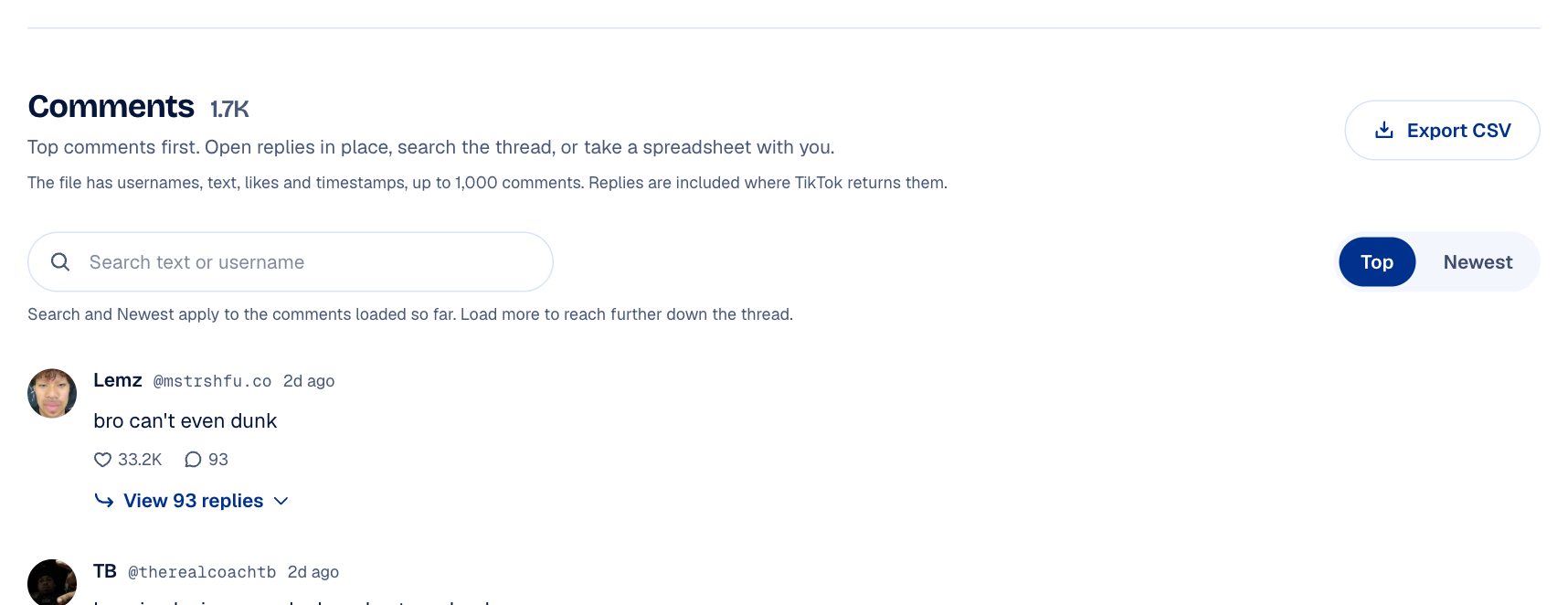
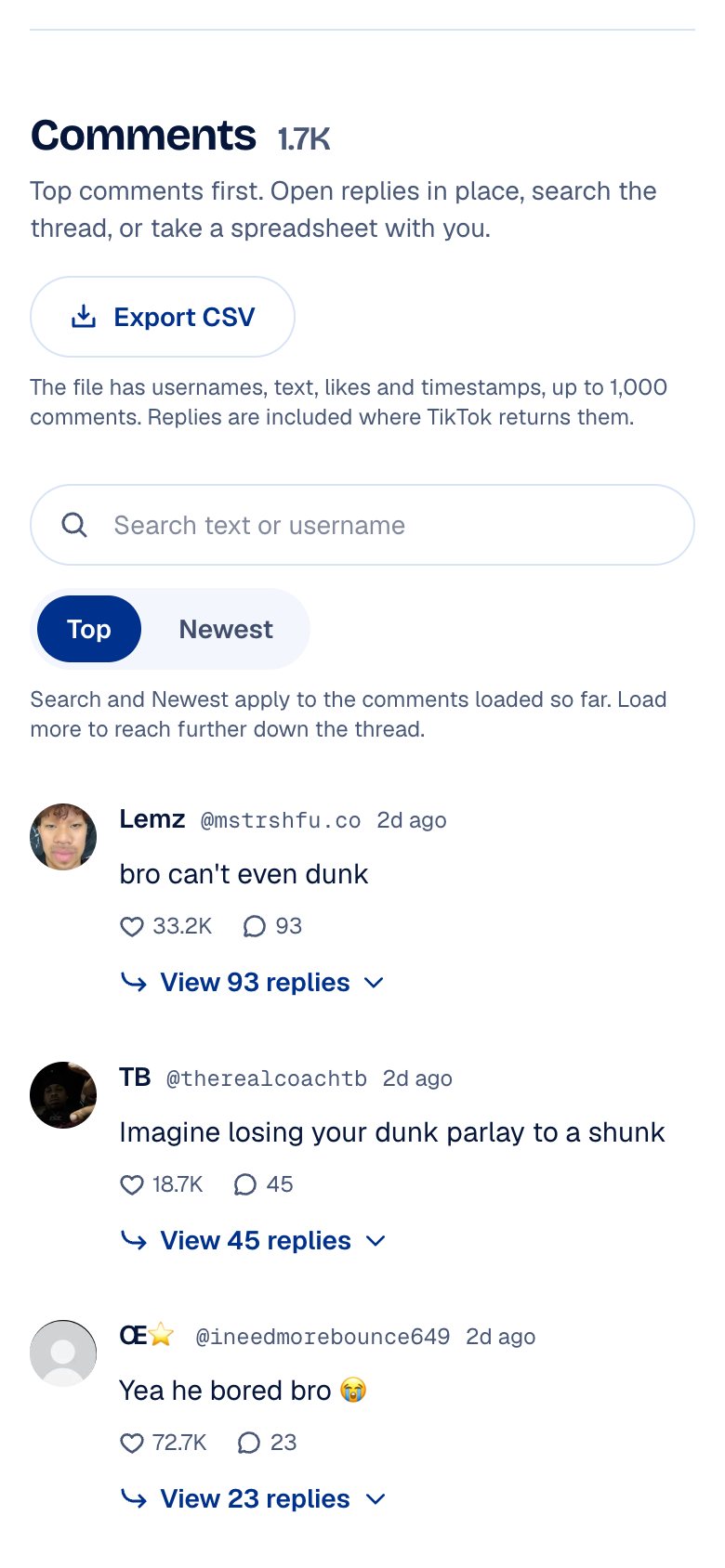
The first twenty comments load at once. Press View replies under a comment to open its answers. Use the search box to find a word or a username, and press Load more comments to go further down the thread. The Export CSV button turns what you see into a file.
The creator is not notified when a comment is read. TikTok has no notification for reading a comment, and TikExporter is not signed in to any TikTok account, so there is no account name to attach to the visit.
What you can do inside a TikTok comment thread
The thread is not a static screenshot. It behaves like a reader built for long conversations.
- Search by word or username
- Type a word, a phrase, a nickname or a username. The list narrows to the comments that contain it, so you can find one reaction in a thread of hundreds without scrolling. Search covers the comments already loaded, and Load more adds another page to the searchable set.
- Sort the comments you have
- Top keeps TikTok's own order, which usually puts the comments with the most engagement first. Newest sorts the loaded comments by their post time, newest first. The page says both things plainly, so you always know which order you are reading.
- Open replies in place
- A comment with answers shows a View replies button and the number of replies. Press it and the answers appear under the comment, indented, with the name of the person being answered. You do not lose your place in the main thread.
- Follow a commenter to their profile
- Every avatar and username opens that person's public profile inside TikExporter. From there you can see their videos, Stories, reposts and followers, which is often the fastest way to understand who is taking part in a conversation.
- Take the thread with you
- The CSV button downloads usernames, display names, text, likes and timestamps. The first 50 comments on a video are free, plus 200 rows a month; paid packs cover longer threads. It is useful for a giveaway, a research note or a community report. The file opens in Excel, Numbers, Google Sheets and every other spreadsheet app.
- Read without a TikTok login
- There is no TikTok password field on this page and no app to install. TikExporter asks TikTok for the public comments of one video, the same comments any visitor can see, and gives them a cleaner reader.
Who can see that you opened the comments
A comment is public by design. Anyone who opens the video can read it, whether they are signed in or not. What people usually want to know is whether the creator can tell that a particular person read the thread. On TikTok, there is no viewer list for comments, unlike the viewer list for a Story.
The table below separates what TikTok records from what the creator sees. It describes the normal public case, not a private account or a video with comments turned off.
One more detail matters for privacy: pictures and videos in the thread can load from TikTok's content servers into your browser. That request carries your IP address, as any image on any website does. It does not carry a TikTok account, because you are not signed in.
| Who | What they can see |
|---|---|
| The video's creator | The public comments and their like counts. No list of people who read the thread and no notification for reading it. |
| The people who commented | Their own comment, the replies and the likes. They are not told who opened the page. |
| Your TikTok account | Nothing. You are not signed in, so your watch history and your For You feed do not change. |
| TikTok's servers | Requests for public comments and public pictures. They see an IP address, with no TikTok account attached. |
| TikExporter | The username or video link you entered, in short-lived server logs. Reading needs no name, email or account. |
If you need to read a thread while signed in to TikTok, use the app. If you need to read it without leaving a name, use a viewer like this one. The difference is the account behind the request.
TikTok comment viewer vs. the TikTok app
Both show the same public comments. The difference is what you have to give up to read them.
| Thing | TikTok app | TikExporter |
|---|---|---|
| TikTok account | Required for most actions | Not required |
| Install an app | Yes | No, it runs in the browser |
| Read replies | Yes | Yes, opened in place |
| Search a long thread | Limited | Yes, in the loaded comments |
| Sort the comments | TikTok decides | Top or newest among the loaded comments |
| Export to a spreadsheet | No | CSV, 50 rows free per video |
| Comment, like or follow | Yes | No, this is a reader |
The app is the right tool when you want to take part. A comment viewer is the right tool when you want to read, check a claim, find a username or keep a record.
What a TikTok comment viewer cannot do
These limits come from TikTok, not from the design of this page. Knowing them saves time.
Private videos stay private
A video from a private account, or one limited to friends, does not open, so its comments do not open either. No viewer can change that.
Deleted and hidden comments are gone
If a creator removes a comment, filters a word or turns comments off, TikTok stops returning it. A viewer cannot bring back a comment that no longer exists on TikTok.
Search covers the loaded comments
TikTok does not offer a search across an entire comment thread in one request. The search box filters the comments already loaded. Load more pages to widen the set.
Newest is not a global sort
The comment endpoint returns TikTok's own order. Newest reorders the loaded page by time. It does not fetch every comment and sort the whole thread.
No posting or liking
This is a read-only view. There is no comment box, like button or follow button, and no TikTok password is ever requested.
TikTok comment viewer questions
Is this TikTok comment viewer free?
Yes. The TikTok comment viewer is free to read and free to search, with no login. The CSV export starts free at 50 comments per video and 200 rows a month; paid packs cover longer threads.
Can I read TikTok comments without the app?
Yes. Paste a public video link into the field on this page. The comments open in the browser, with no app and no TikTok account.
Does the creator know I read the comments?
No. TikTok has no notification or viewer list for comment readers. The creator can see the public comments and their likes, not who opened the thread.
Can I see deleted comments?
No. Once TikTok removes a comment, or the creator hides it with a filter, the comment endpoint stops returning it. A viewer cannot show what TikTok no longer has.
Can I see who liked a comment?
TikTok does not publish the list of people who liked a comment. You can see the like count, but not the names behind it.
Can I read replies to a comment?
Yes. Press View replies under a comment. The answers appear under it, and Load more replies continues if the thread is longer than one page.
Can I search for a username in the comments?
Yes, in the comments already loaded. Type the username into the search box. For a very long thread, press Load more comments first to bring more comments into the searchable set.
Can I export the comments to a spreadsheet?
Yes. The Export CSV button writes the comment text, username, display name, likes, reply count and timestamp. The free sample is 50 comments per video; a pack covers the rest. The separate comment exporter page explains the file in detail.
Why do some comments not appear?
TikTok may filter comments by keyword, hide replies from blocked accounts or stop returning comments on a video with restricted settings. The viewer can only show what TikTok returns.
More TikTok tools
- TikTok Comment ExporterTurn a public comment thread into a CSV for a giveaway, a report or a research note.
- TikTok ViewerOpen a public profile, watch its videos and read the comments on any post.
- TikTok Story ViewerWatch the Stories a public account has posted in the last 24 hours.
- TikTok Repost ViewerSee what a public account has reposted, with the original creator and the date.
- Urlebird alternativeThe same public viewing, plus comments and a CSV, compared with Urlebird.
- TikTok glossaryThe terms behind the thread, the Story and the export, defined.
Last updated
Open a comment thread now
Paste a public TikTok video link. The comments, replies and search box are one tap away.